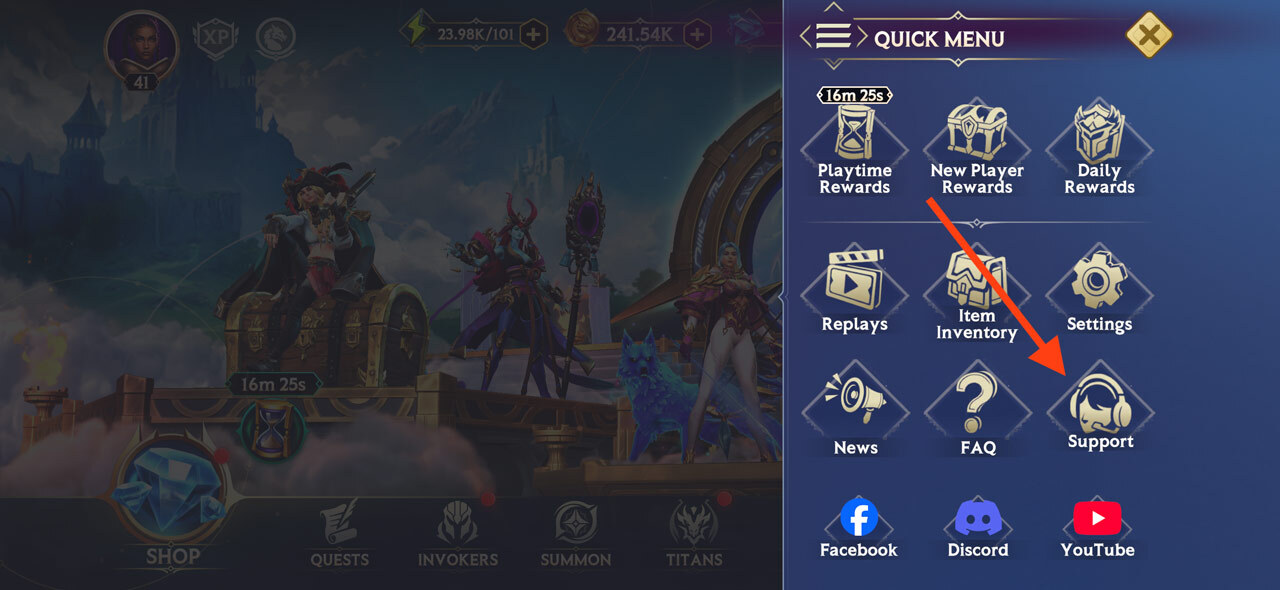
From the main screen, tap the Quick Menu button in the top right-hand corner.


In the Quick Menu, go to Settings.
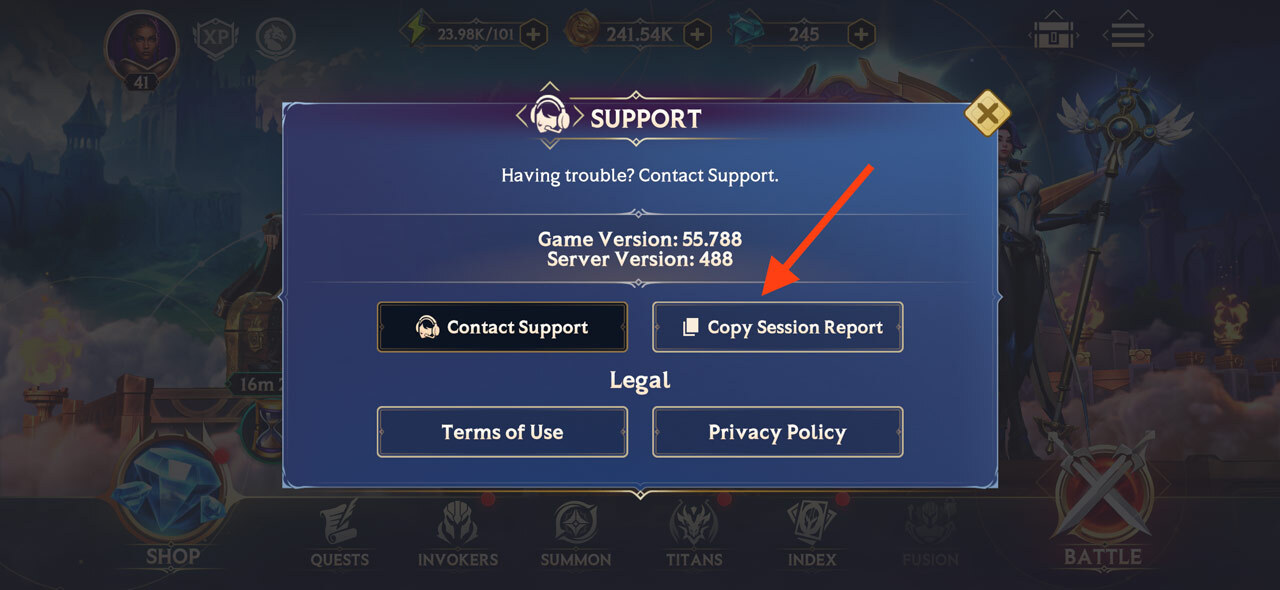
In the Settings menu, simply tap “Copy Session Report” and that’s it! Your Session Report will be copied to your clipboard and you can share it when needed.