
Don't know how to Ascend your Invokers? Learn the secrets to Invoker Ascension with this guide and take them to the next level!
Ascension
When you Level Up an Invoker and reach their Level Cap, you will automatically be prompted to Ascend them.
Ascending Invokers increases their Level Cap, allowing you to continue to Level them up and reach far higher stat potential.

An Invoker’s Ascension ★ is indicated by the yellow and grey Stars below their name.
In the example above, this Invoker is currently at 3★ Ascension – indicated by 3 yellow stars.
The highest possible level of Ascension is 6★.
The highest Level an Invoker can reach is Level 60.
Different Rarities of Invokers start at various levels of Ascension, as shown below:

Level Cap

You cannot Level Up Invokers indefinitely – there is a limit, a Level Cap decided by the Invoker's current Ascension ★.
Once you hit that Level Cap, you must Ascend your Invoker to continue Levelling them up and making them stronger.
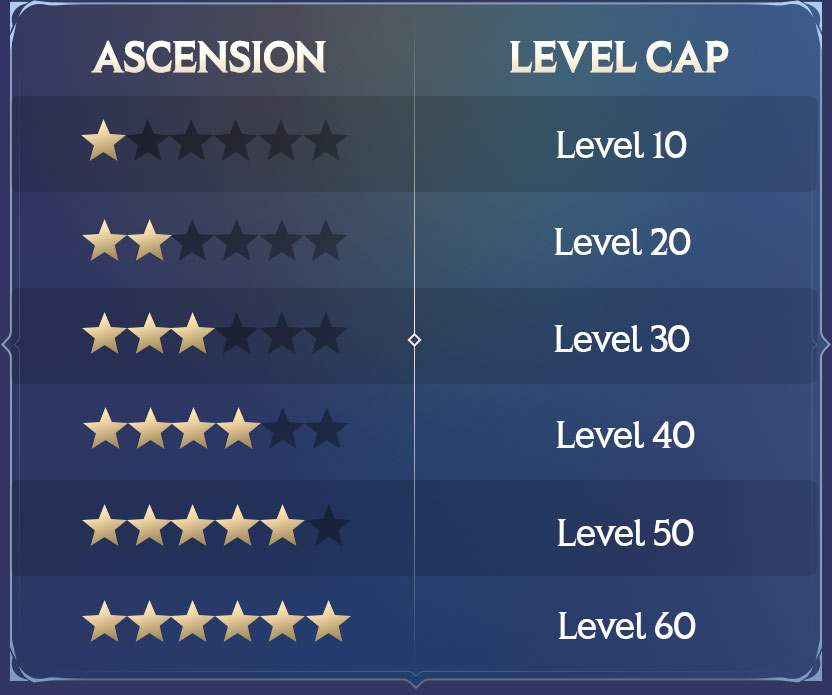
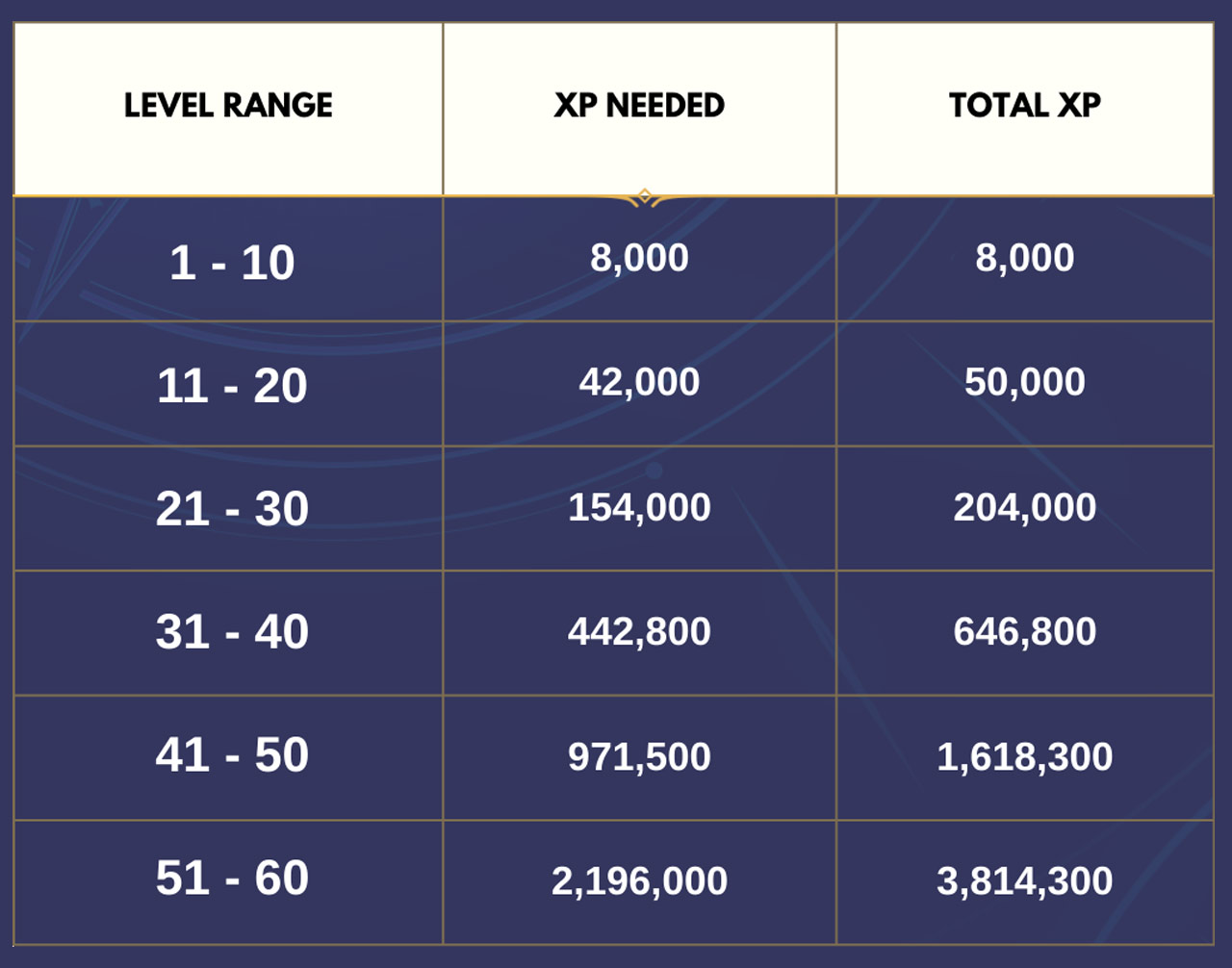
To take an Invoker to those Level Caps, this is how much XP is needed.
Ascension
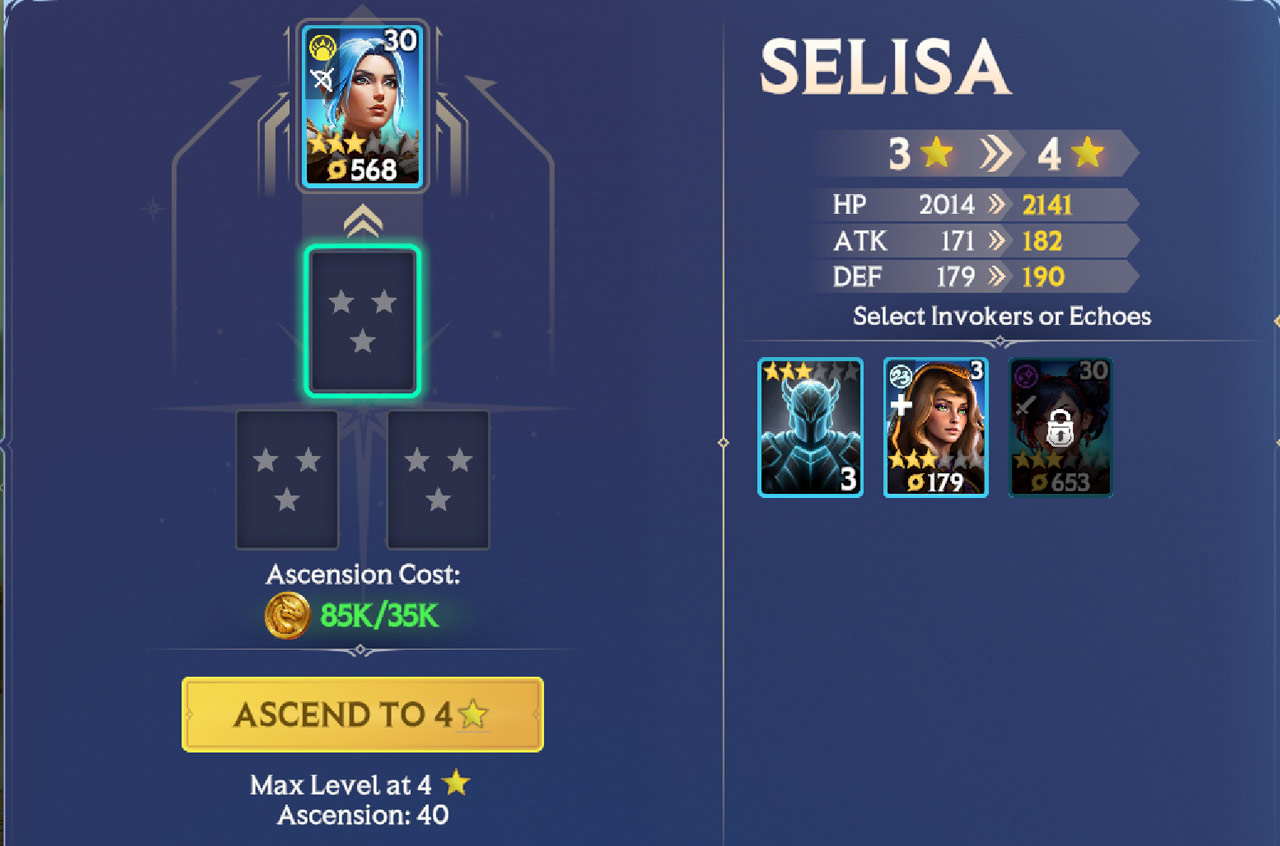
To Ascend an Invoker, they must be at the Level Cap for their current Level of Ascension.
To Ascend them, you will need to use a number of Echoes or other Invokers of the same ★.
The number you need is always equal to the current Ascension ★.
For example, to take an Invoker from 3★ Ascension to 4★ Ascension, you need three 3★ Invokers or 3★ Echoes – or a mixture of both.
To take an Invoker from 4★ Ascension to 5★, you will need 4 Invokers or Echoes – all 4★.
You can find Echoes as rewards from Battles and quests, but you will likely not have a surplus of 4★ or 5★ Echoes – you will need to Level Up and Ascend unwanted Invokers to use to Ascend others.
Any Invokers used to Ascend another will be permanently lost.
When using an Invoker to Ascend another, any equipped Gear will be automatically unequipped for free and placed in your Gear Inventory.
Quick Ascension
If you're looking to level up and Ascend multiple Invokers at once, you can use Quick Ascension!
When Ascending an Invoker, hit the "Quick Ascend" option to open the Quick Ascension window.
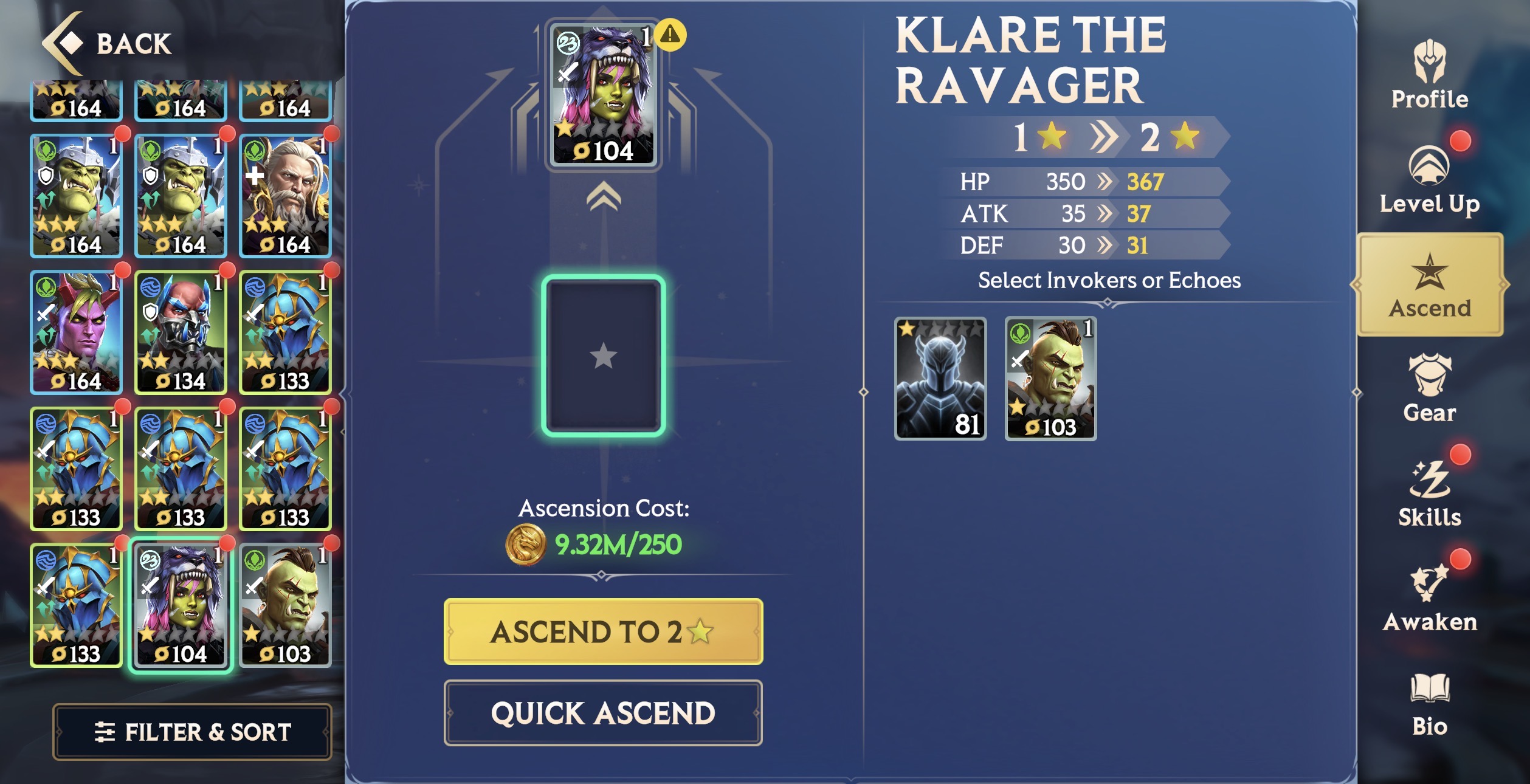
Here, you'll see an Ascension ladder where you can level up and Ascend multiple Invokers at once within a single interface.
First hit "Level Up" to get your Invoker to their max Level, so they can Ascend.
The amount of XP Potions that will be used to reach this Level is indicated on the right of the Invoker portrait.
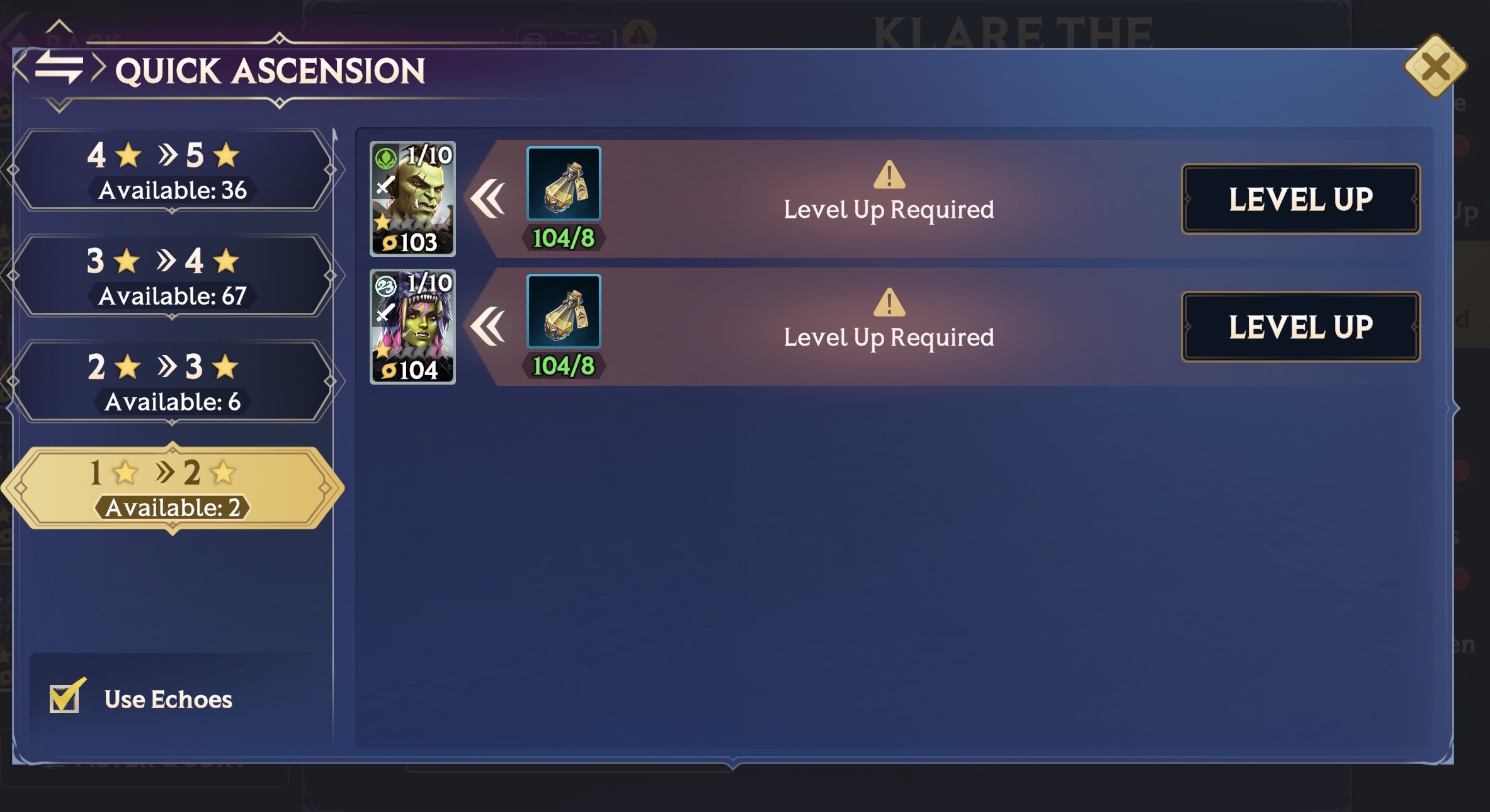
Once they have hit max Level, just hit the "Ascend" button and it will use the Invokers (or Echoes) shown to Ascend them.
If you don't wish for Echoes to be used in Quick Ascension, tap the checkbox in the bottom left hand corner.
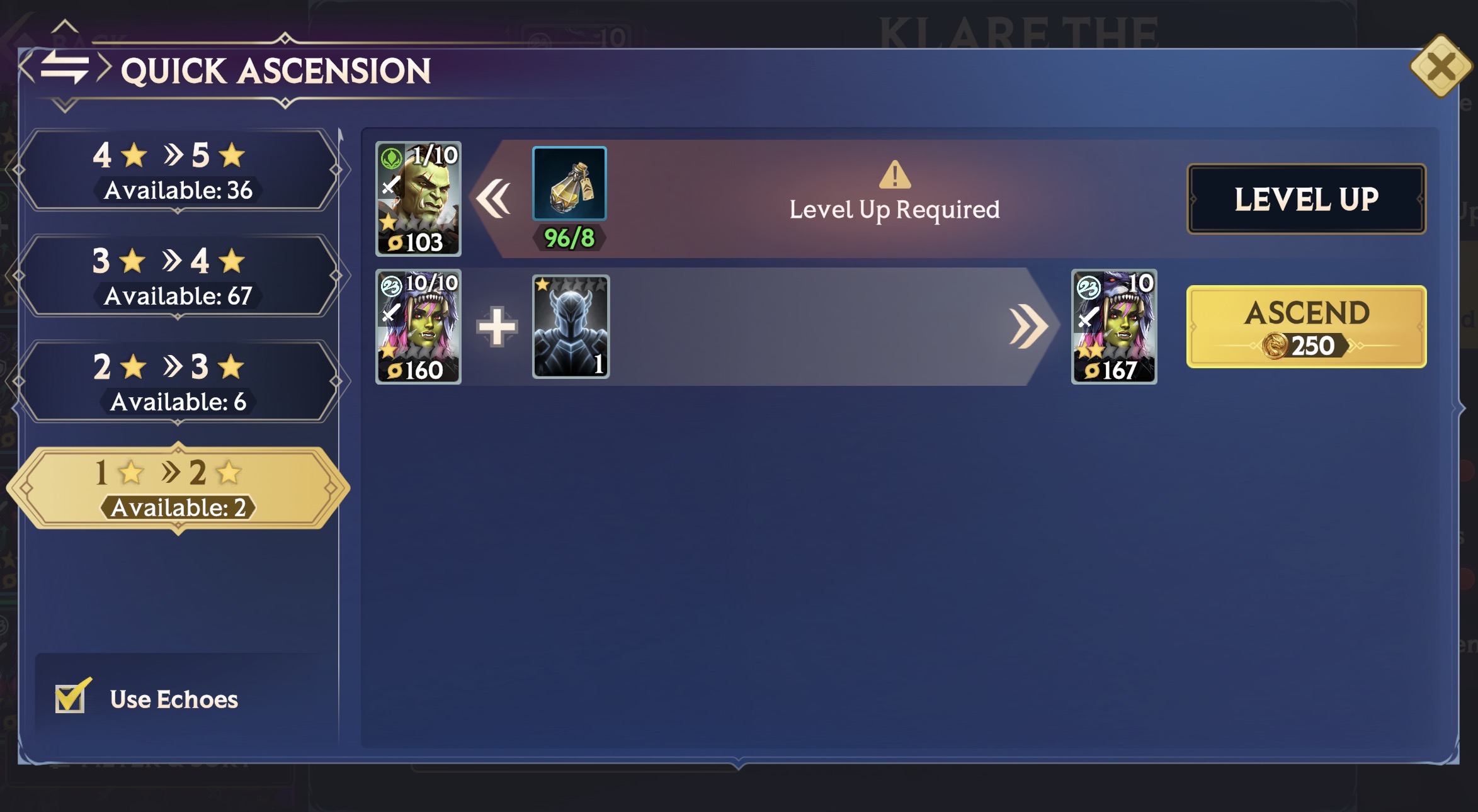
You'll then receive confirmation they've Ascended, and then they'll move up the Ascension ladder.
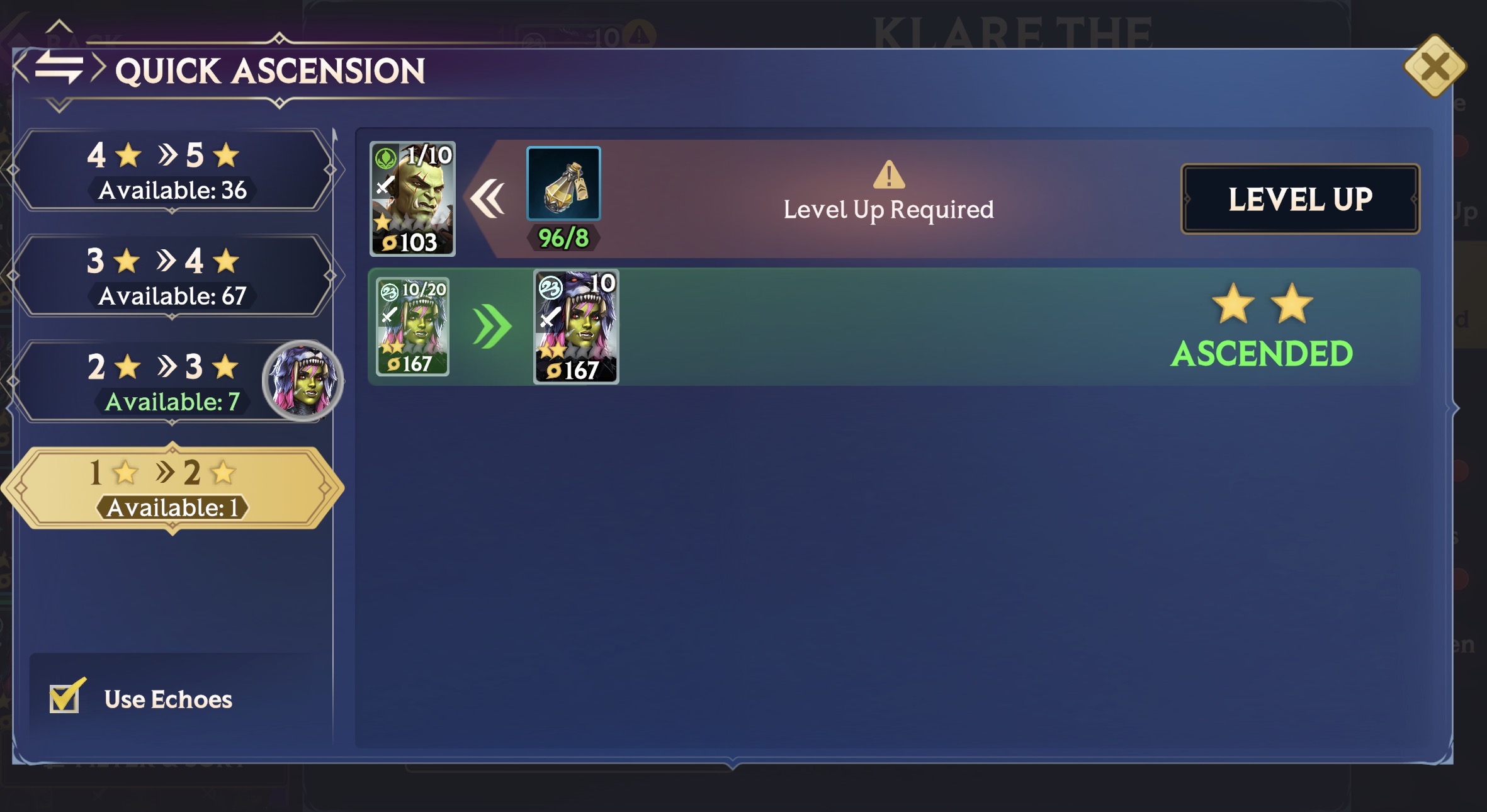
In the above example, Klare has reached 2★ Ascension and has moved into that category, where she can be Ascended further.