
Want to know the basics of combat in Invokers: Titan Legacy? This guide will go over all the basics you need to know to triumph in battle!

Each Invoker has a unique set of Skills – allowing them to attack enemies, heal allies, place buffs and debuffs and a whole lot more.
There are 5 broad types of Skills, each with their own unique properties.
Combo Attacks
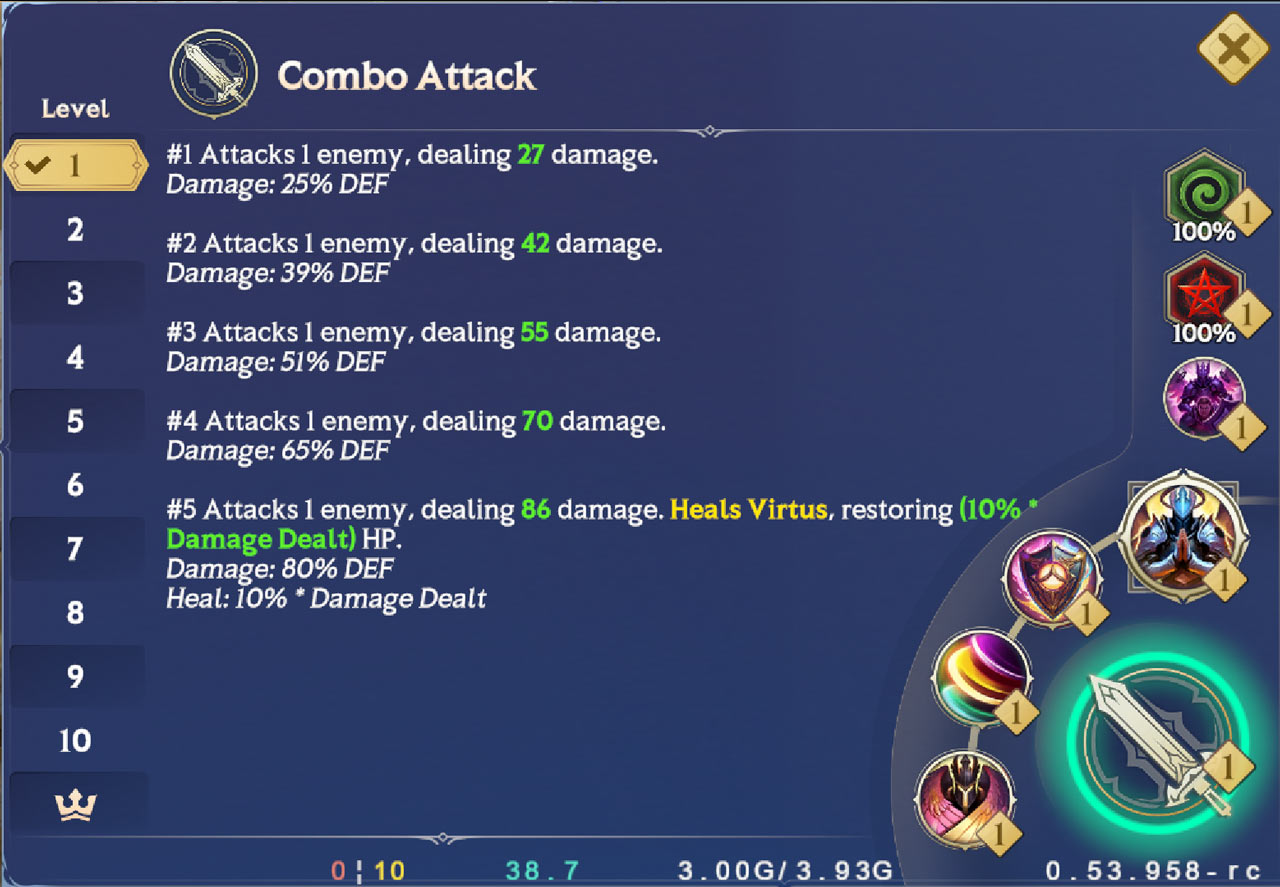
Combo Attacks have no cooldown and cycle through 5 specific attacks.
The 5th Combo Attack acts as a sort of “finisher”, usually with an added effect like hitting as an AOE attack or doing additional damage.
Once you perform the 5th Combo Attack, your Invoker will loop back to the 1st Combo Attack.
Combo Attacks are the main way you generate both Titan and Ultimate Mana.
Legendary Invokers have unique properties on their 5th Combo Attack, like the ability to extend or reduce cooldowns, heal themselves and so on.
Active Skills
Each Invoker has 3 Active Skills. Active Skills have cooldowns, meaning you have to wait for them to recharge before you can use them again.
By fine tuning your Skill SPD, Skill RECOV and Mana Gen stats, you can be throwing out Skills left and right. To find out how to create this Skill snowball effect, check out our Stats guide.
Passive Skills
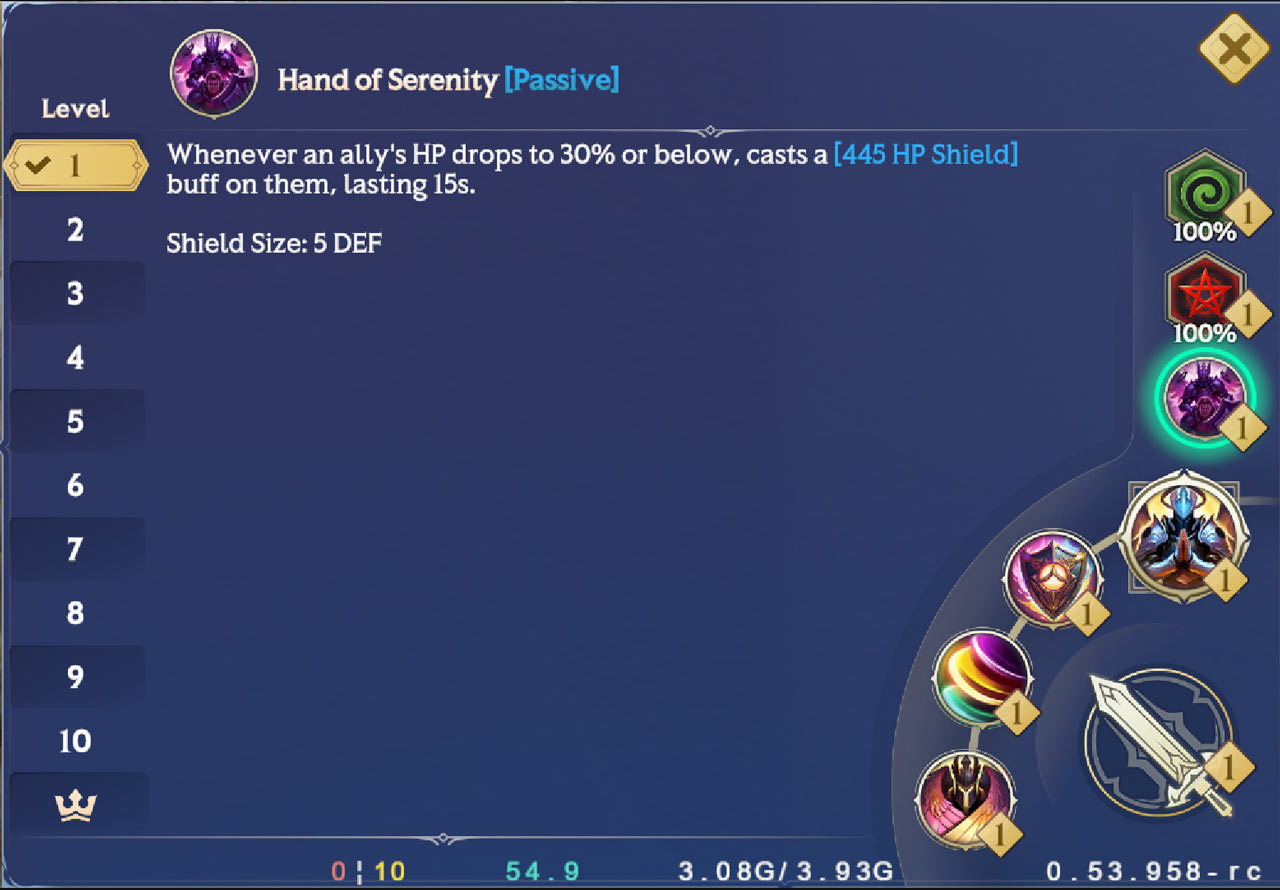
Like Bosses, some Invokers have access to powerful Passive Skills.
Passive Skills are not activated manually. Instead, they run in the background or activate when certain conditions are met.
If an Invoker with a Passive Skill that affects other Invokers’ Stats falls in battle, that Passive stops working.

Ultimates
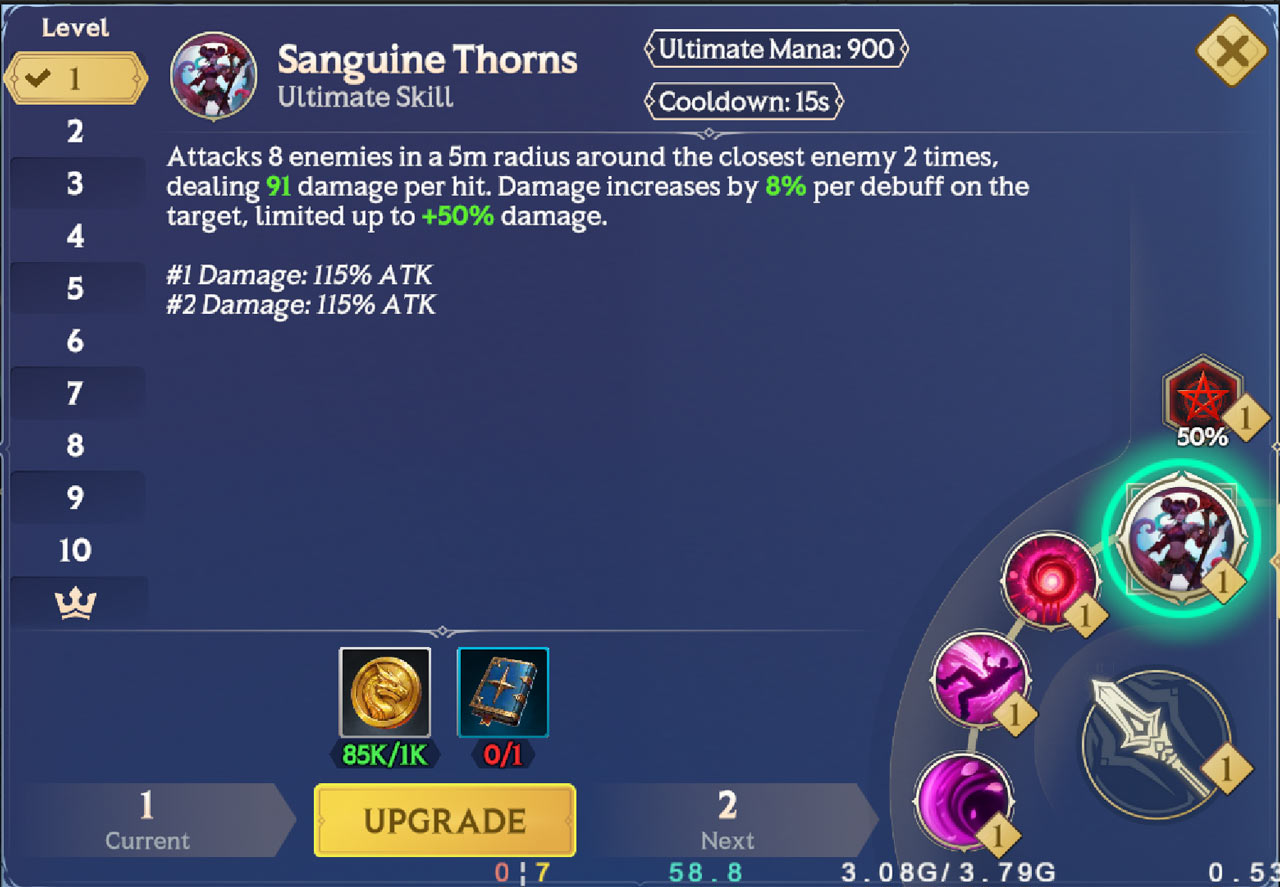
Each Invoker has an Ultimate Skill – consider it as their signature move.
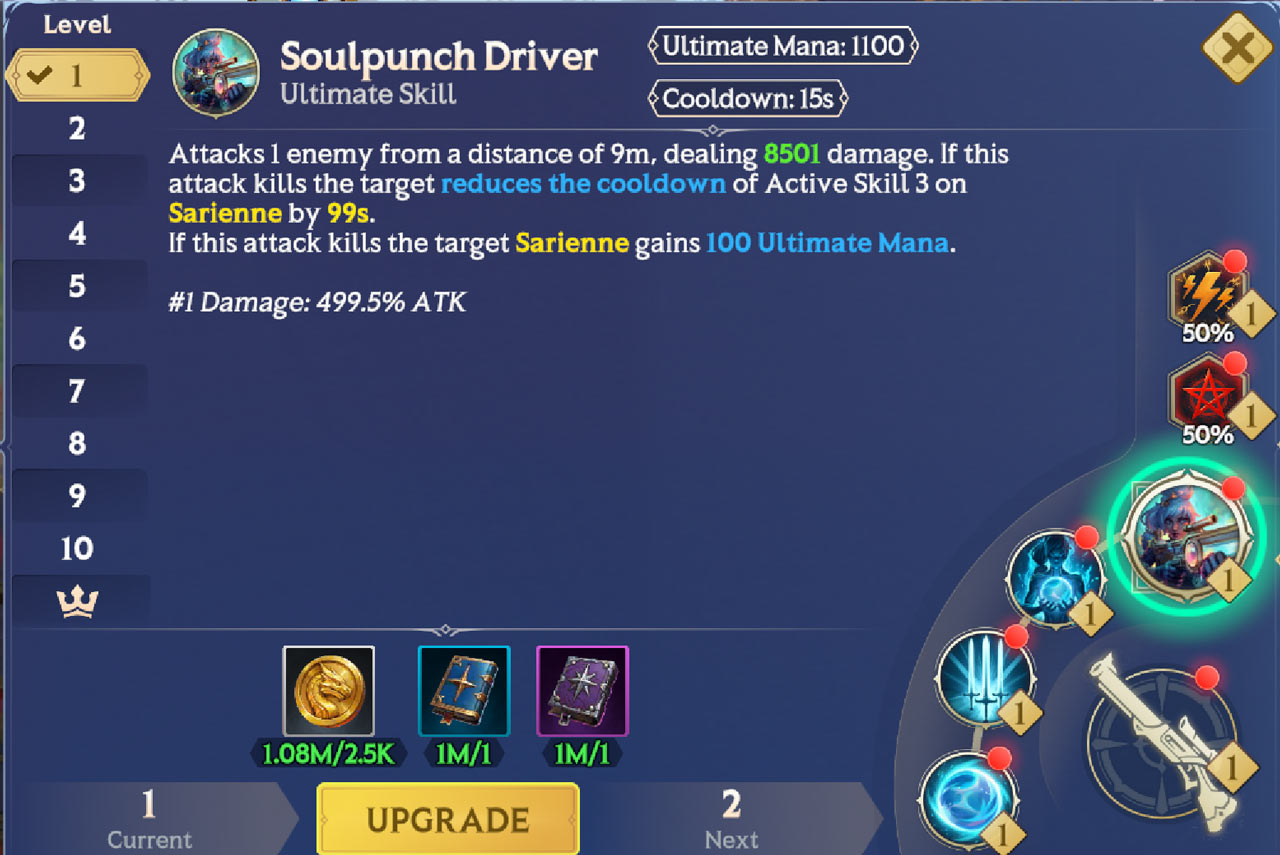
Unlike Active Skills, you have to build up Ultimate Mana to cast one of these powerful abilities.
You generate Ultimate Mana by landing Combo Attacks and Active Skills. You can increase the rate you generate Ultimate Mana by boosting your Mana Gen Stat.
The amount of Ultimate Mana needs to cast an Ultimate is shown at the top, above the Skill’s cooldown.
Upgrading Ultimate Skills will reduce the amount of Ultimate Mana you need to cast them.
Important! Unlike Titan Mana, there is no Ultimate Mana overflow. Once you’ve reached 100% Ultimate Mana, you cannot gain any more until you use your Ultimate. Use it or lose it!
Battle Stats
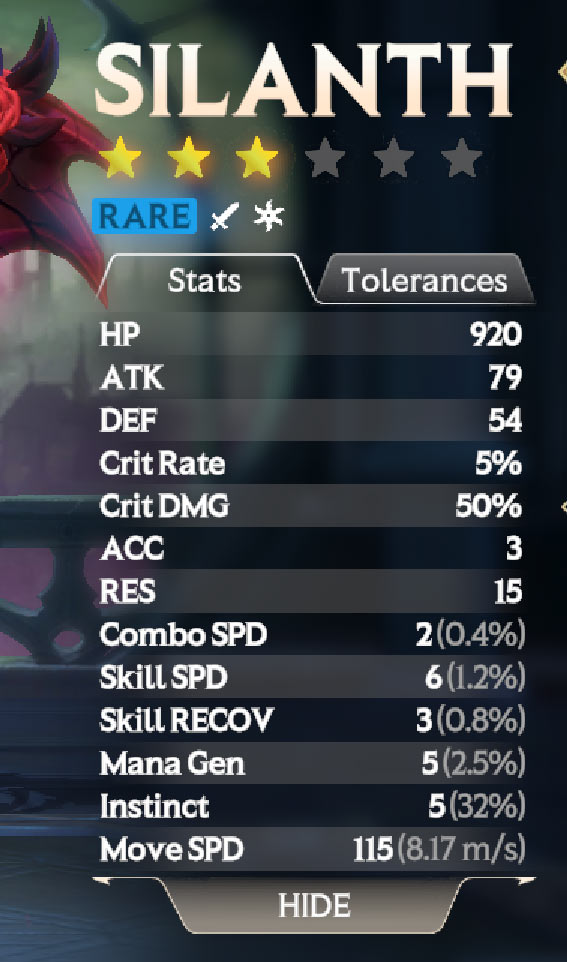
The Stats that you see on your Stats screen aren’t what you’ll enter a Battle with. Your Battle Stats will, in reality, be a lot higher!
Your Battle Stats consist of the Stats you see in your Collection, plus:
Any Stat Bonuses from your Bound Titan
Any Stat Bonuses from your current Tactic
Any Stat Bonuses from friendly Passive Skills
Boosts from in-battle buffs
Reductions from in-battle debuffs
This means, your Skills will probably do a lot more damage than what’s shown in their description!

Elements
Each Invoker has a single element: either Earth, Water, Wind, Fire, Light, or Dark.
Elements have a significant impact on an Invoker's performance in a specific battle or situation.
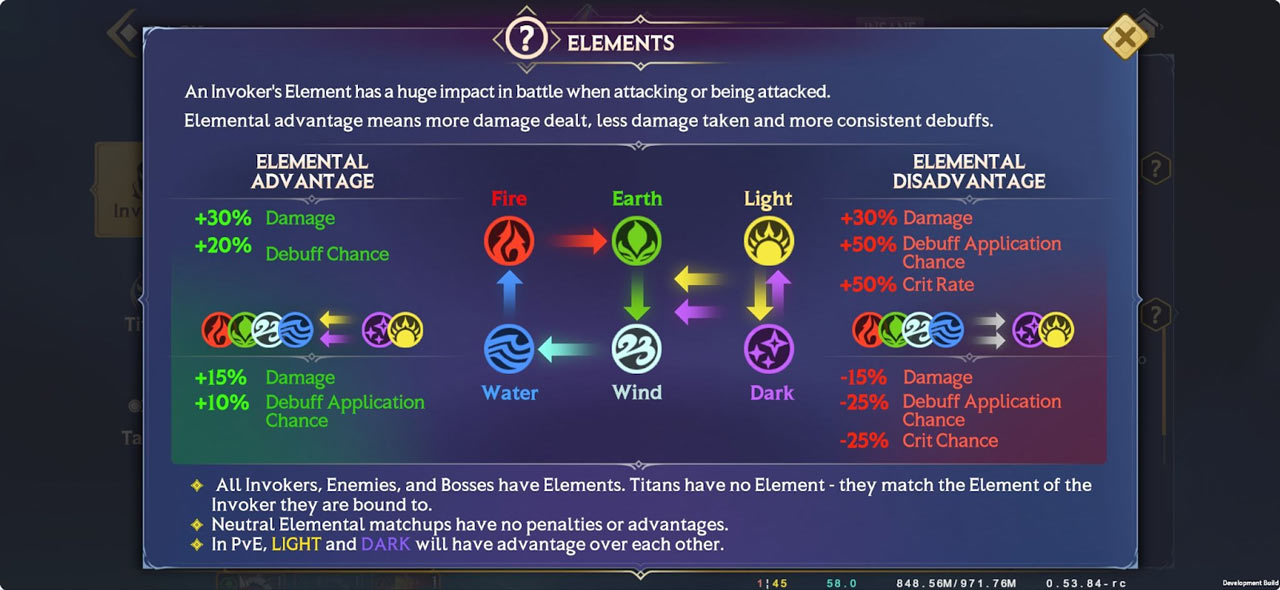
Each Element has a strength or weakness to another Element, as shown above.
Water beats Fire
Fire beats Earth
Earth beats Wind
Wind beats Water
When attacking at an Elemental Advantage, the attacker:
Deals +30% more damage
Has a +20% debuff chance
When attacking at an Elemental Disadvantage, the attacker:
Deals 30% less damage
Incurs a -50% Crit Rate penalty
Incurs a -50% Debuff Landing Chance
Light and Dark Invokers have an extra advantage over the other Elements.
When a Light or Dark Invoker attacks an enemy from any of the other Elements (Earth, Water, Wind, or Fire), they gain:
+15% damage
+10% Debuff Application Chance
Conversely, when any other Element attacks either Light or Dark, they receive the following penalties:
-15% damage
-25% Debuff Application Chance
-25% Crit Rate
IMPORTANT! When Light attacks Dark and vice versa in PvE, you get Elemental Advantage, but the enemy doesn't when attacking back.
In PvP, Light and Dark counter each other i.e. your Dark Invoker will get Advantage attacking an enemy Light Invoker, but your Dark Invoker will be Disadvantage when the enemy Light Invoker attacks you.
Damage
When calculating the damage a Skill does, it goes through a sequence of calculations.
First, we find its baseline damage. This is simply the Stat which the Skill is based off of, times the multiplier.
EXAMPLE: Skill 1 scales off 200% of an Invoker’s ATK Stat. If the Invoker’s ATK is 100, this means the baseline damage is 200.
We then see if the attack was critical, based on the Invoker’s Crit Rate stat. If it is, we increase the attack’s damage, equal to the Invoker’s Crit DMG stat.
EXAMPLE: Our Invoker has rolled a critical hit and has a Crit DMG stat of 50%. We add this additional 100 damage, meaning their attack now does 300 damage, instead of 200.
Next, we factor the opponent’s Defense reduction. This is determined by its own set of factors, but to make things simple for now, we’ll say it’s a 10% reduction from their DEF Stat alone.
EXAMPLE: The opponent’s defense reduction is 10%. This reduces our Invoker’s damage from 300, down to 270.
Now, we add our Elemental Advantage or Disadvantage. We’ll say that it’s a Fire Invoker attacking an Earth Element enemy, so it gains the Elemental Advantage Damage bonus.
EXAMPLE: Our Invoker gains the 30% damage bonus! This takes it from 270 to 351.
Finally, we add any stat changes from buffs and debuffs. We’ll continue the generosity and say our Invoker is under a 10% ATK Up buff.
EXAMPLE: Our 10% ATK Up buff takes our damage number from 351 to 386.1.
With that, we get our final damage number of 386.1.
If you want to boil all of that down to a single formula for calculating a Skill’s damage, here it is:
Baseline Damage * (1 + Crit DMG) * (Defense Reduction) * (1+Elemental Advantage or Disadvantage) * (1+(Buff Effect + Debuff Effect))
Debuffs
When applying debuffs or specific instant effects, you need to keep in mind your Accuracy versus an opponent’s Resistance. At its core, you should always consider the following as your base:
Target’s RES - Caster’s ACC
The closer the caster's ACC is to the target's RES, the higher the chances of a Debuff or other effect landing on the target.
Conversely, the higher a target’s RES is compared to a caster’s ACC, the higher the chance is of the target resisting the debuff or effect.
Once your initial chance has been calculated based on the difference between a target’s RES and a caster’s ACC, Elemental Advantages and Disadvantages are added on, along with any effects granted by ACC and RES buffs or debuffs.
When attacking at an Elemental Advantage, the attacker:
Has a +20% Debuff Application Chance
When attacking at an Elemental Disadvantage, the attacker:
Incurs a -50% Debuff Application Chance
IMPORTANT! When a Light or Dark Invoker attacks an enemy from any of the other Elements (Earth, Water, Wind, or Fire), they gain:
+10% Debuff Application Chance
Conversely, when any other Element attacks either Light or Dark, they receive the following penalties:
-25% Debuff Application Chance
For example, if you had a 70% chance to apply a debuff after the initial ACC vs. RES calculation and you were at an Elemental Advantage, you’d end up with a final 90% chance to apply the debuff.
If you were at an Elemental Disadvantage, you’d end up with a final 20% chance to apply the debuff.
PRO TIP #1: If your ACC is equal to or greater than an opponent’s RES and you’re attacking at an Elemental Advantage, your debuffs and instant effects will always apply.
PRO TIP #2: If your RES is at least 120 points higher than your enemy’s ACC and you’re at an Elemental Advantage, their debuffs and instant effects will never apply.
PRO TIP #3: You can check the ACC and RES tables available on the Pre-Battle screen for each Boss to see their ACC and RES. From there, you can work out how much ACC and RES you need in order to guarantee your debuffs always land and theirs never affect you.
Buffs
Luckily for buffs and instant effects like heals or revives, no Accuracy is needed at all! Unless blocked by a particular debuff, your buffs will always land on a friendly target.

Ultimate Mana, Titan Mana, and Mana Generation
Whenever an Invoker uses a skill during battle or takes damage from an enemy, they generate both Ultimate Mana and Titan Mana.
Increasing Mana Gen will increase the amount of Mana gained every time an Invoker generates Mana. If an Invoker would stand to generate 10 Ultimate Mana and 20 Titan Mana from any action, but they had +50% Mana Gen, they would instead generate 15 Ult Mana and 30 Titan Mana.
Certain Skills also generate Mana – keep an eye out for those, because Mana Gen also affects the Mana gained through skills. See a Skill that says the Invoker will gain 50 Ultimate Mana? That becomes 75 Ult Mana if they have +50% Mana Gen.
Important! Even though each Invoker generates Titan Mana individually, it goes into a pool that is shared by the whole team. When a Titan is Invoked, Titan Mana is spent from the whole team's supply.
This is different to Ultimate Mana, where each Invoker has their own, individual pool.

Titan Invokation
You can only Invoke one Titan at a time during battle.
Invokation Duration
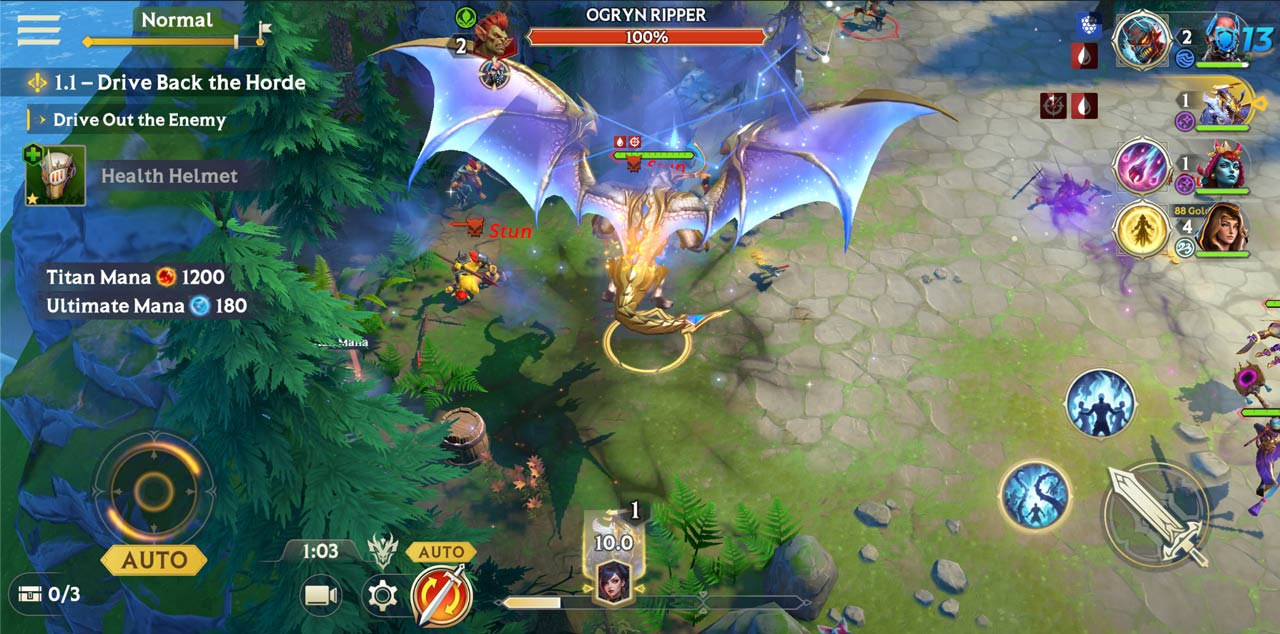
By default, whenever a Titan is Invoked during battle, Titan Invokation Time lasts 12 seconds.
After 12 seconds, Invokation will end and the Titan will transform back into the Invoker.
Each Titan has their own cooldown – 180 seconds – before they can be Invoked again. This cooldown starts after the Invokation ends, not when it starts.
Make sure each Invoker in your team has a Titan bound to them to maximize your Titans’ impact in battle.
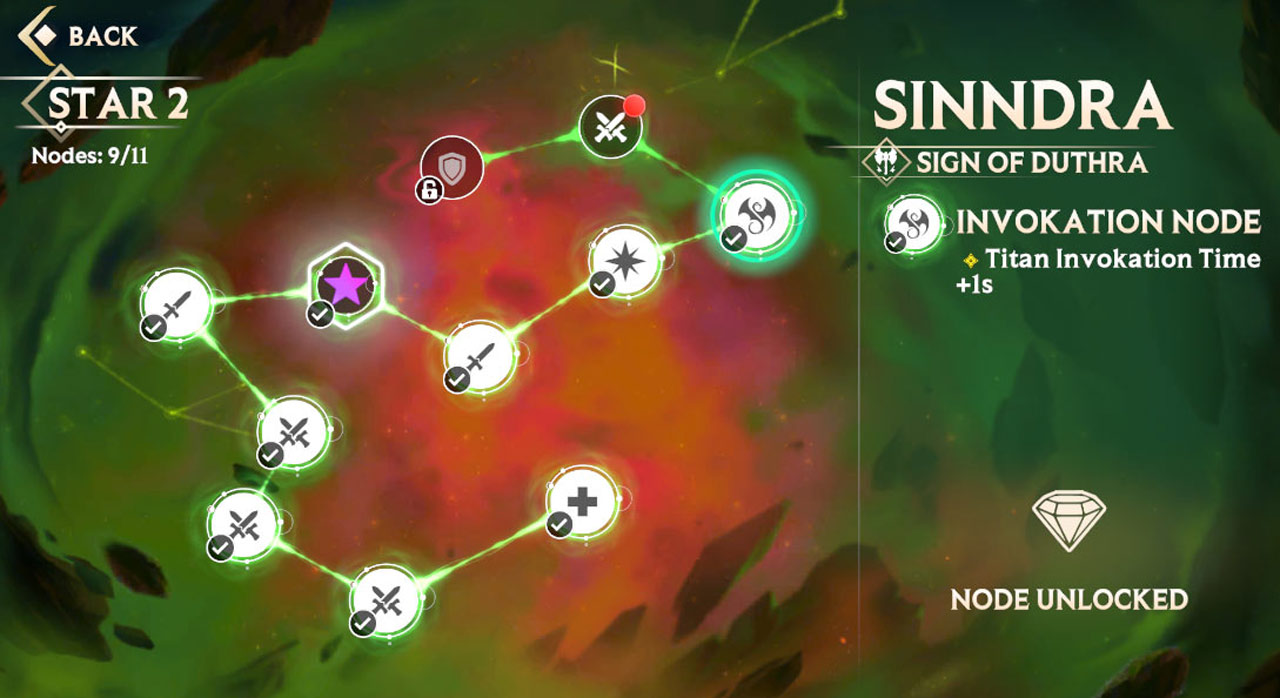
Pro Tip #1. You can increase Titan Invokation Time by Awakening your Invokers. At 2★, 4★, and 6★ Awakening, each Invoker will have an Invokation Node. Each one will increase the duration of Invokation Time by 1s. It doesn't sound like much, but increasing Invokation time from 12 to 15 seconds means a huge, huge increase in damage output for a Titan.
Pro Tip #2. An Invoker's Skill Cooldowns will continue to count down as normal even while they are currently in Titan form.
Pro Tip #3. Any Buffs and Debuffs on the Invoker (or Titan) at the time of Invokation or Invokation End will carry through and continue. Invoking a Titan isn't a quick way to cleanse pesky debuffs.
Pro Tip #4. Titans don't generate any Ultimate Mana for their Invoker or Titan Mana for their team.
Invokation Effects
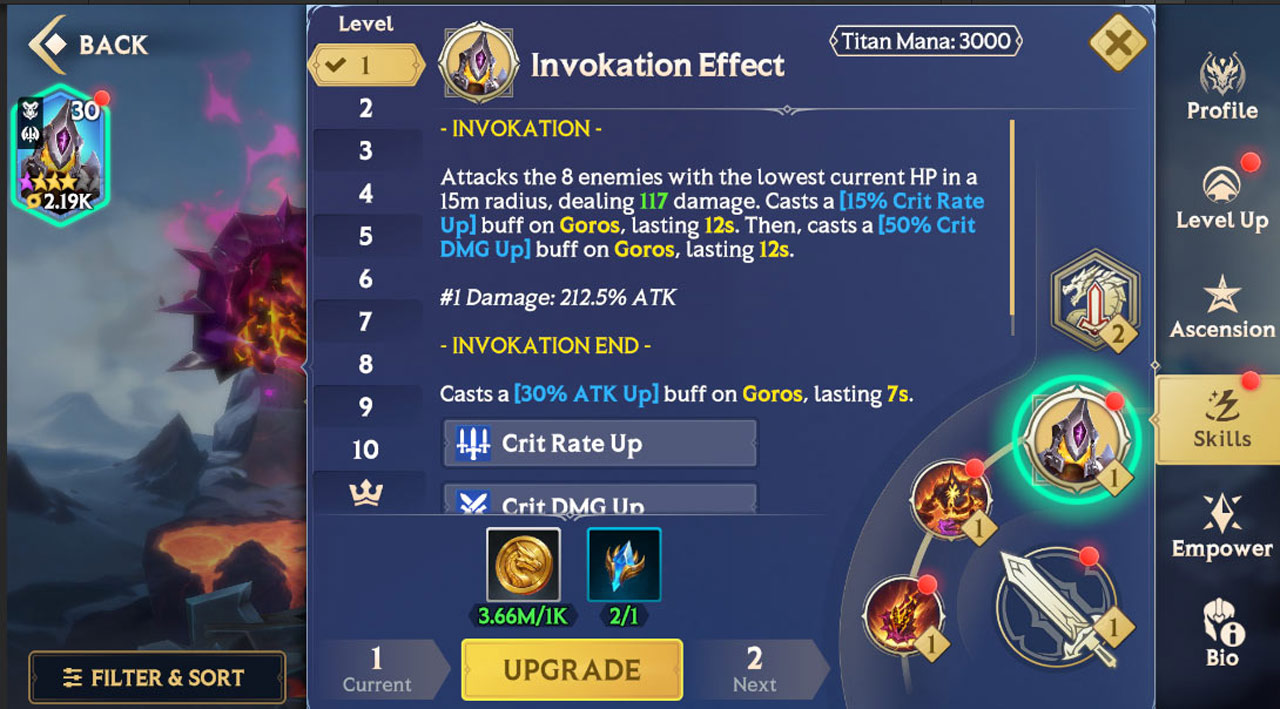
Each Titan has a unique Invokation Effect, which has two parts:
Invokation: Whenever a Titan is Invoked in-battle, a powerful Invokation effect occurs. This is usually a huge AoE ability that affects all the enemies or allies around them.
Invokation End: When the Invokation ends and the Titan transforms back into their Invoker, a second powerful effect occurs. This is typically a big buff or heal to the Invoker the Titan is bound to, giving them a massive boost when they come back into the fight.
You can upgrade Invokation Effects just like regular Titan Skills, with Prisms and Gold.

Bound Effect
Titans also increase the Stats of the Invoker they are bound to during battle. This is called their Bound Effect.
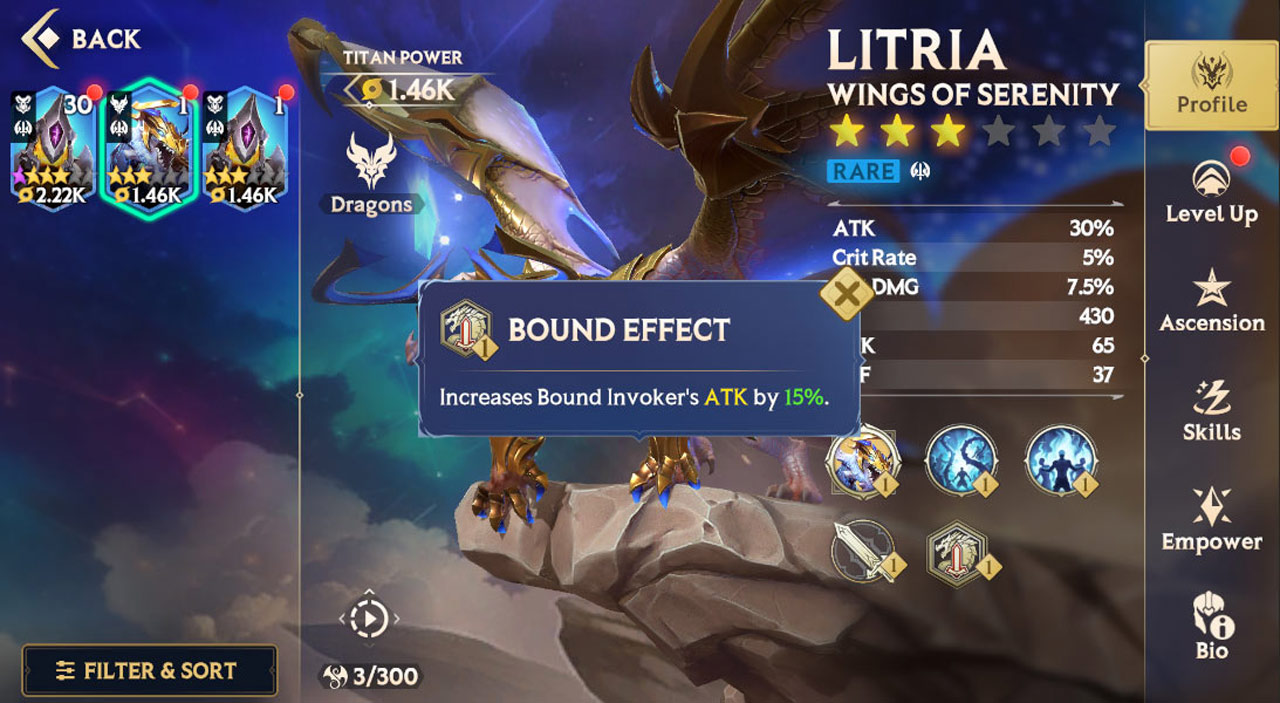
There are two types of Bound Effects:
Type 1: Global Bound Effects that increase an Invoker's Stats in every area of the game.
Type 2: Dual Bound Effects that increase an Invoker's Stats by a larger amount in a specific area, along with a lesser amount in other areas of the game. These are usually more powerful in a specific Game Mode, but weaker outside of that designated Game Mode.
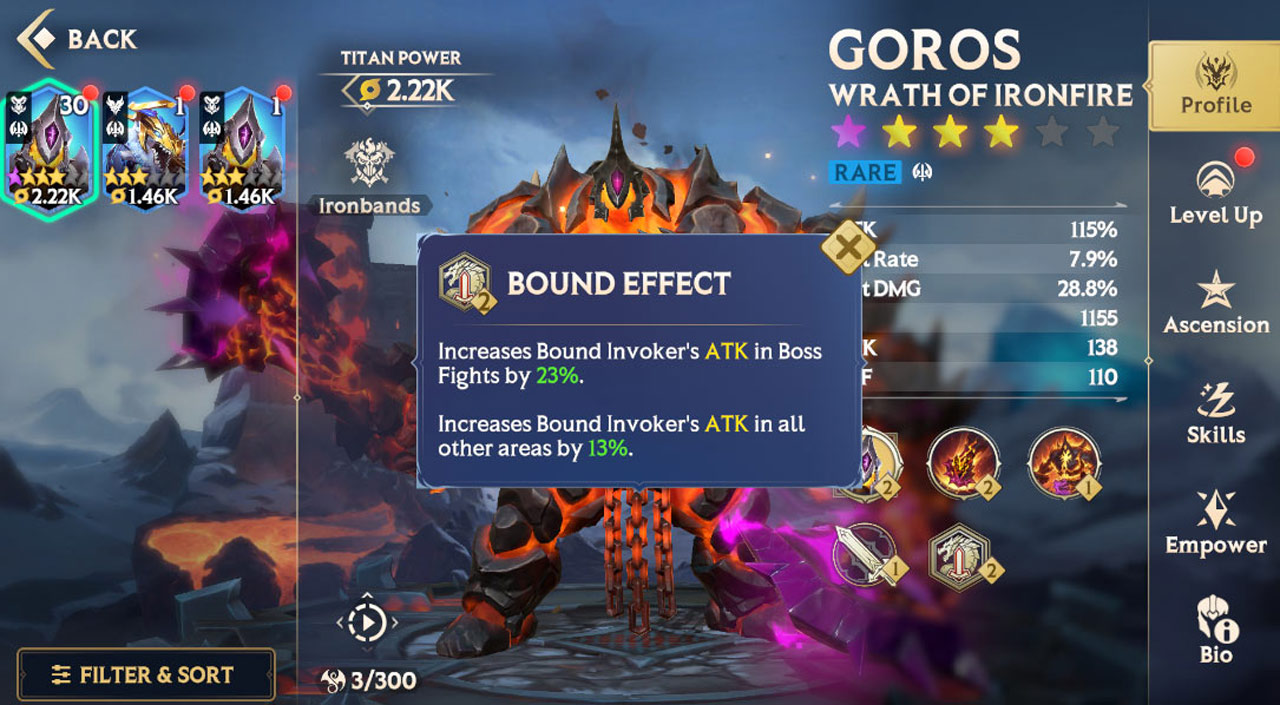
In the picture above, Goros has a Dual Bound Effect.
Bound Effects can be upgraded by Empowering a Titan. Check out the Titan Empowerment guide for a full breakdown.
Danger Zones
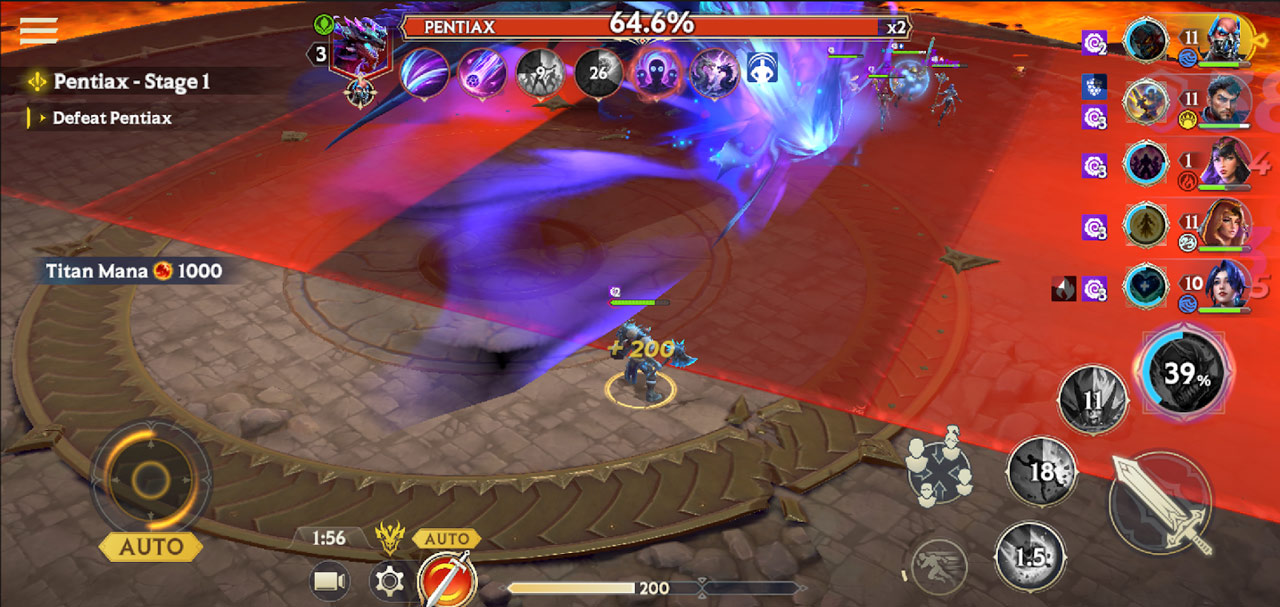
The large red zones you see when an enemy is about to attack is called a Danger Zone.
When you see one of these, run out of them!
Use the Dash button to quickly evade out of their range. When playing in Auto Mode, computer-controlled Invokers will dodge out of Danger Zones, based on their Instinct stat.
PRO TIP: If in doubt, use Manual! If your healer is about to die and they’re in a Danger Zone, take direct control and get them out of there.

The Battle Screen
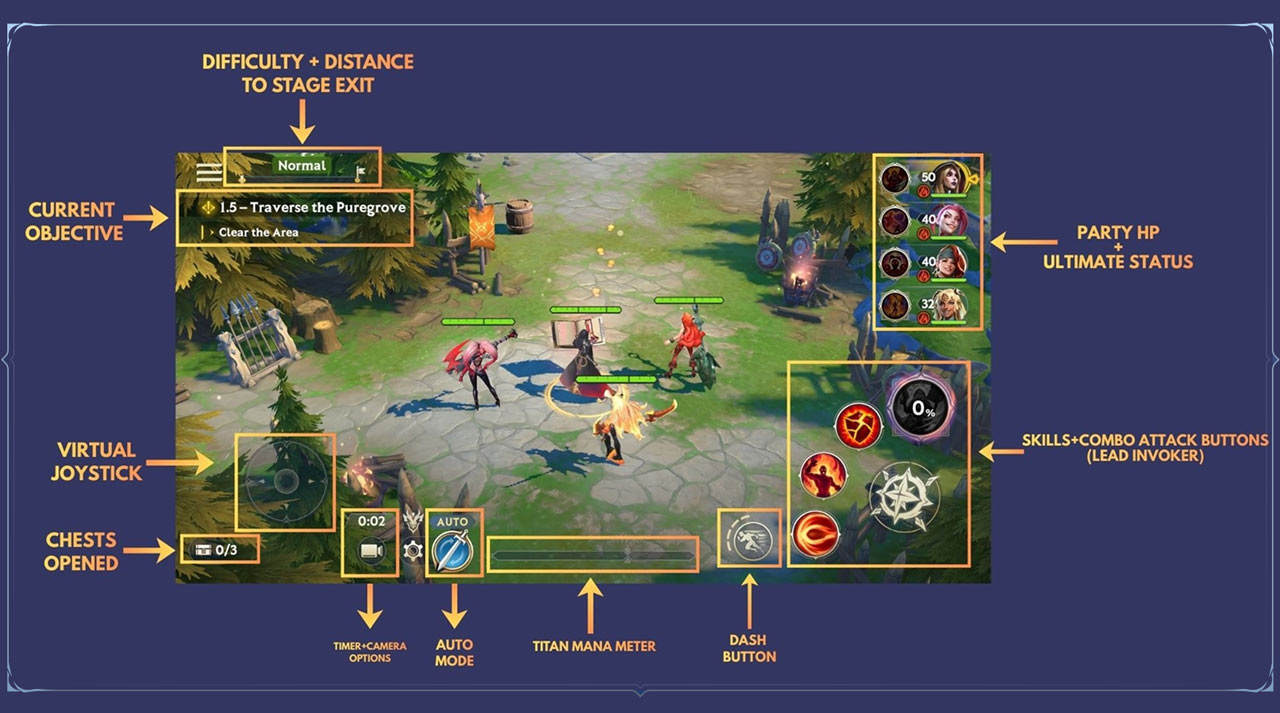
When you enter a Battle, this is what you’ll typically see on-screen.
In Campaign, your goal is to complete the objective seen on thetop left of the screen. The “progress bar” at the very top tells you how far you are from the Stage’s exit.
If you are confused as to where to go next, follow the golden footsteps that appear on-screen. They’ll guide you to your current objective.

Difficulty + Distance to Stage Exit

Quite simple – this tells you the current difficulty level and how far you are from the end of the Stage. As you move through the Stage, the white bar will fill.
Current Objective

At the top is your main objective, and below is your current objective. As you move through the Stage, you will clear objectives and gain new ones.
Virtual Joystick

Tap and drag on the Virtual Joystick to move your Lead Invoker around. You can also tap a location on the screen to move your Lead Invoker to as well.
Chests Opened
This tells you the number of Chests you’ve opened successfully in a Campaign Stage.
You need to open all of them (and have all your Invokers alive at the end of a Stage) to earn a specific Campaign Star.
Timer + Camera Options
The timer indicates how long you’ve spent in the current Battle. By tapping the Camera, you can zoom the camera in to gain a more cinematic view of the action.
Dash Button

Press this button to dash out of the way of danger! The pips around the icon show you how many dashes you have available.
When playing in Auto Mode, your Invokers will dash automatically out of Danger Zones – if their Instinct Stat is high enough!
Party HP + Ultimate Status
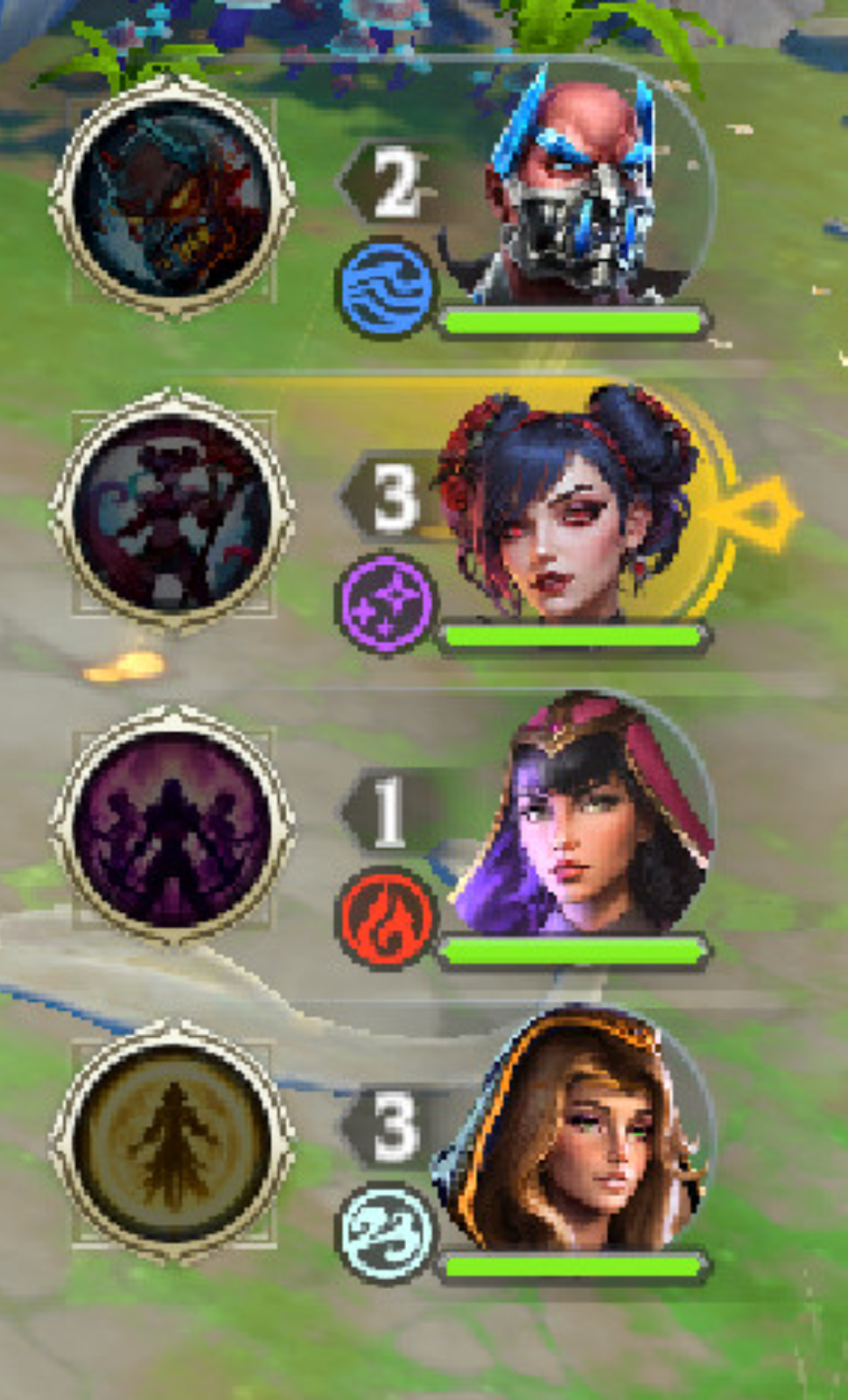
This tells you, at a glance, the current HP of all your Invokers, along with if their Ultimate’s ready.
The Invoker highlighted in gold is your Lead Invoker.
Follow Me/Spread Out

You can choose to make your Invokers group up and follow your Lead Invoker, or spread out. Use these options to dodge specific attacks!
NOTE: This button is available all the time in Boss Mode, but you'll need to reach a specific point in both the Spires and the Campaign to unlock it there.
Invoker Skills
In the bottom right-hand corner of the screen is your Lead Invoker’s Skills and Combo Attack buttons.
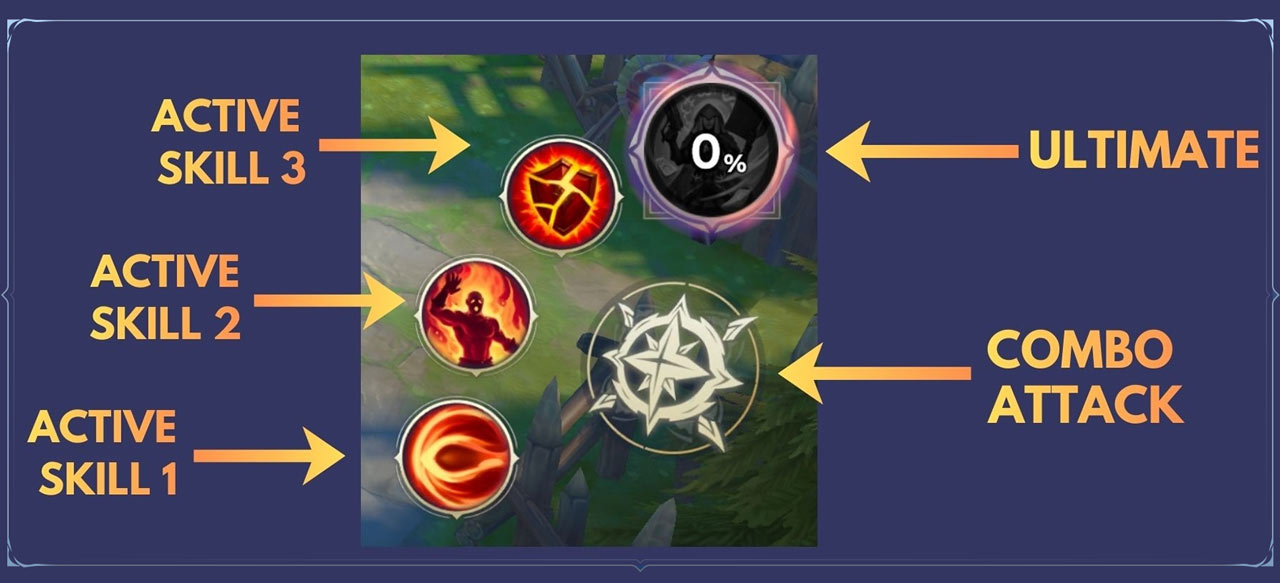
When the Skill buttons are lit up, that means they are ready to use.
The Combo Attack button has no cooldown, so it can be used whenever.
For an Ultimate, you must collect enough Ultimate Mana in order to use it. Your Invoker’s current Ultimate Mana is indicated by the percentage on its icon.
Important! Each Invoker has their own, individual pool of Ultimate Mana.
You cannot generate Ultimate Mana by using Skills or Combo Attacks outside of combat.
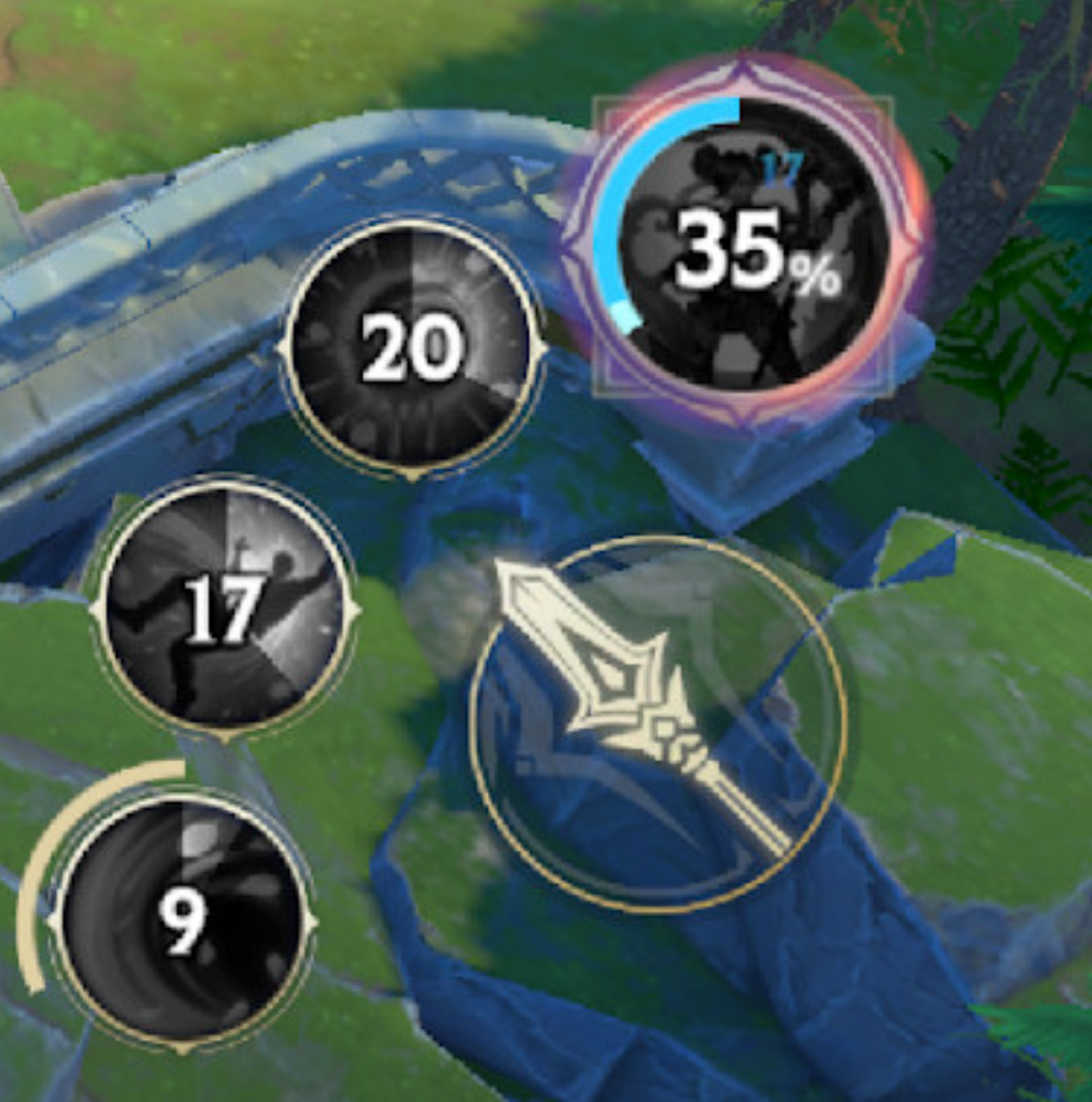
When a Skill is on cooldown, its icon will appear grey and show a number, indicating how long until it is ready to use again.
Titan Mana Meter
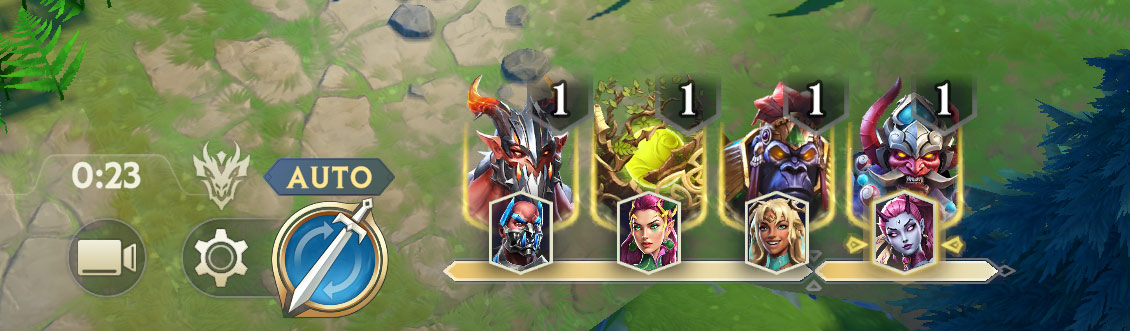
Your Titan Meter is displayed at the bottom of your screen during battle.
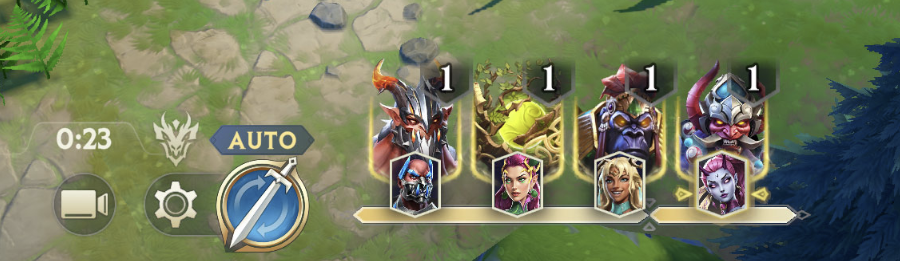
When your team has enough Titan Mana, it's Invokation Time: Titan Cards will appear at the bottom of your screen.
Hit the Card and that Invoker will Invoke their Titan – even if you're not controlling them at the time.
Meter Overflow. It's not always the right time to Invoke a Titan – if it's four Invokers against a single straggling Goblin, you might want to hold your Titans for later. Don't worry, your Titan Mana Meter has an overflow; you'll still be able to generate and store Titan Mana without wasting it.
Pro Tip: Increasing Mana Gen affects both Ultimate and Titan Mana. Higher Mana Gen means you'll be able to Invoke Titans more frequently in-battle, which is one of the best ways to increase your team's damage output.
Auto Mode
At any point during a Battle, you can switch between Auto and Manual Mode.
In Auto Mode, your team will fight automatically. At any point, you can override the AI of your Lead Invoker by using the Virtual Joystick or pressing Skills. You can also tap directly on enemies to focus your team’s attacks on them.
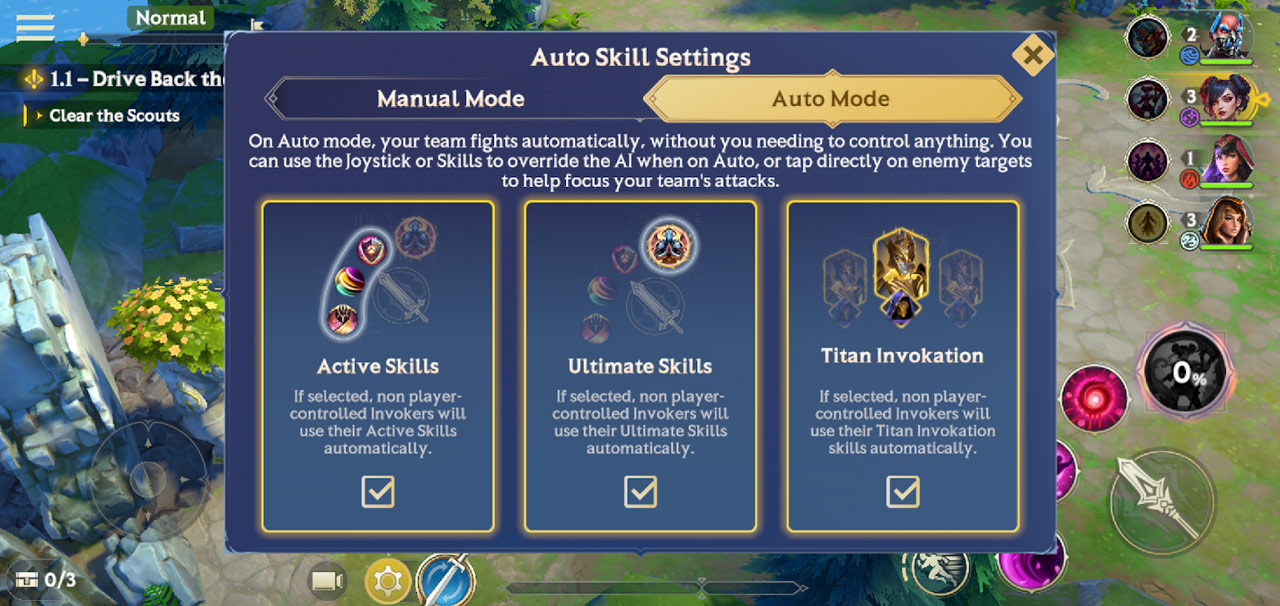
You can also toggle whether your team will use Active Skills, Ultimates, or Titan Invokations when in Auto Mode.
PRO TIP: As a general rule, you’ll want to have Titan Invokation turned off when running a Stage for the first time in Auto. You don’t want to waste a valuable Titan Invokation while you’re moving between fights.
In Auto, your team will automatically follow the golden footsteps to the next objective.
When moving between combat, your team will move according to the Move SPD of the slowest Invoker. Speed them up to lower your clear times!
Manual Mode
When in Manual Mode, you are in full control of your Lead Invoker, with your other Invokers following behind.
To swap between Invokers in both Manual or Auto Mode, simply tap their character portrait.
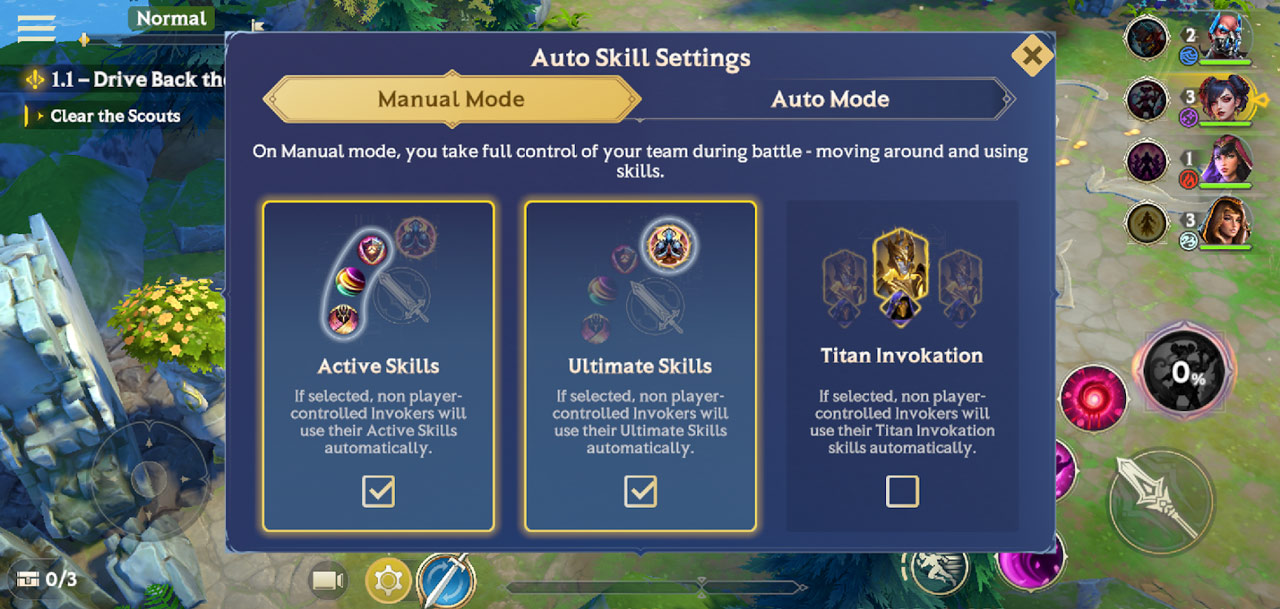
Like in Auto Mode, you can also set if the rest of your team will use Active Skills, Ultimates, or Titan Invokation while in Manual.
Battle Results Screen
Following the completion of a Battle – whether in victory or defeat – you’ll be taken to the Battle Results Screen.
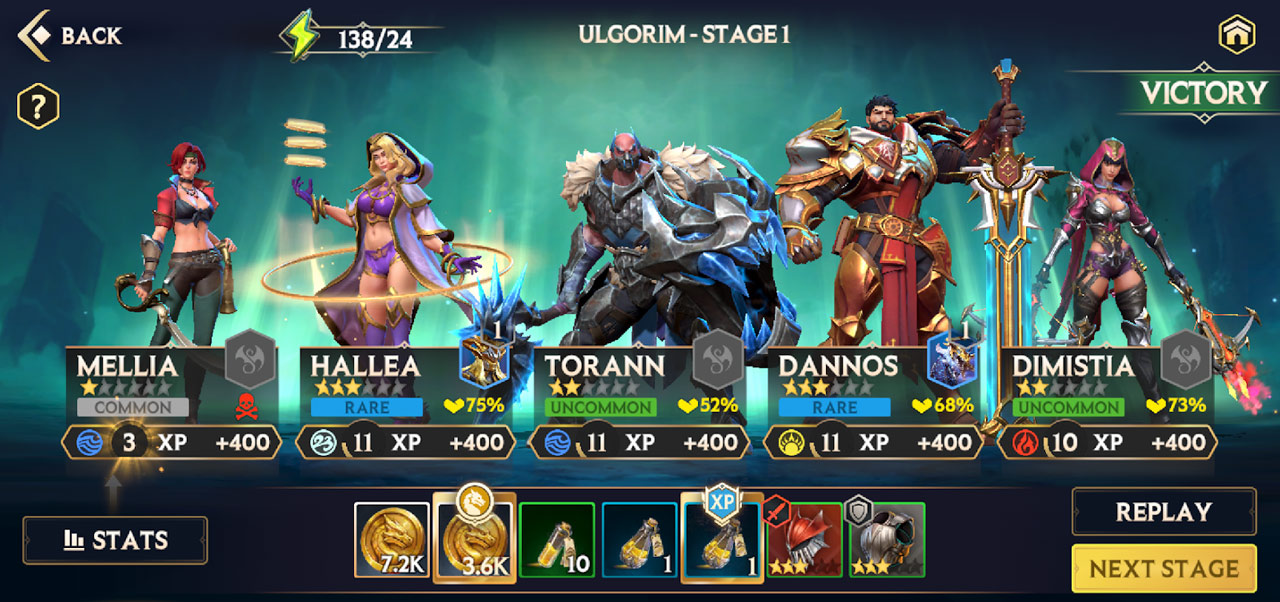
Here, you will see the Gold and XP Potions you earned during the Battle, as well as any Relics, Stars or other loot you managed to collect.
It will also give you a quick overview of your party at the end of the Battle, with stats including:
Their remaining HP at the end of the Battle
The XP they earned from the Battle
Their current Level
If you wish to replay the Battle you were just in, hit the Replay button.
To move onto the next Stage of the Campaign or the current Boss, hit Next Stage.
Battle Report
For a detailed breakdown of your battle stats, you can hit the Stats button in the bottom left of the Battle Results screen.
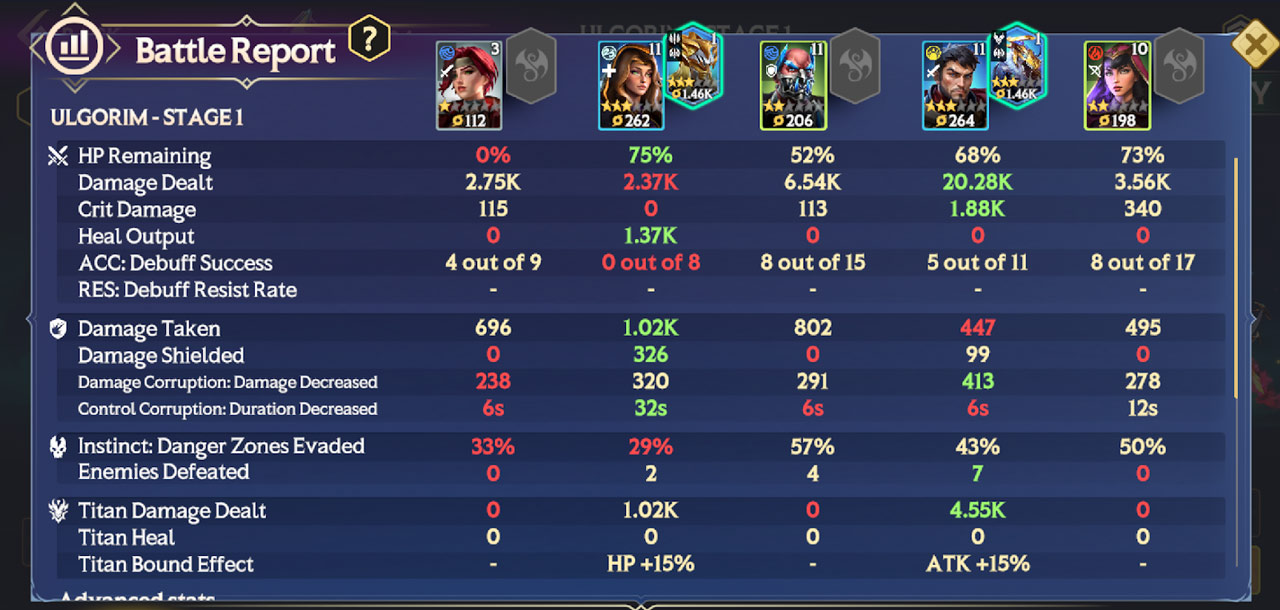
Here, you’ll get an in-depth look at a variety of stats like how much damage each Invoker dealt, their success in applying and resisting debuffs, how many enemies were defeated and so on.
If you’re struggling with a specific Stage, study your Battle Report well. It may reveal where your team needs to improve to succeed next time.